
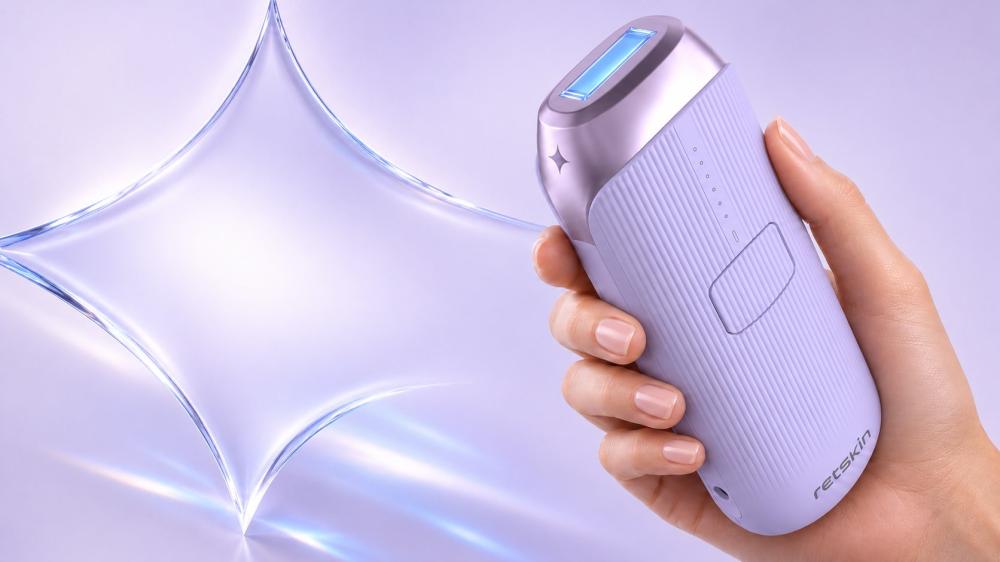
The short answer: cooling makes a home laser session comfortable and painless. In the RETSKIN X3 and Pro AI, chilled sapphire glass touches your skin during the session and gets as cold as -1 degree, so you feel coolness at the point of use.
Why does the session need cooling at all?
Home laser is all about heat: the melanin pigment in the hair absorbs the light, which turns into heat that weakens the follicle. This is where cooling comes in: it cools the skin surface throughout the session, so the session stays painless.
Cooling doesn't change how the light works on the follicle, but it keeps your skin comfortable on the surface.
How does cooling work in RETSKIN devices?
- Sapphire glass that touches your skin: the light exit window itself is a sapphire cooling plate, and it is the part that touches the skin directly during the session.
- Simple physics: the plate is colder than the skin surface, so heat moves from the warmer skin to the colder glass, and you feel coolness on contact.
- Works automatically: cooling starts when the device is switched on and stops when it is switched off, with no extra button.
- Internal cooling system: a fan inside the device cools its components while it works. Its continuous sound is normal, and it carries on for about 15 seconds after the device is switched off.
What cooling offers and what it doesn't
Cooling offers | Cooling does not offer
- A painless session, with a feeling of coolness at the point of use: a substitute for choosing the right level for your skin
- Automatic cooling the whole time the device is on: suitability for skin types 5 and 6, or for areas the manual prohibits
- Managing the device's heat during use with the internal fan: use on wounds, tattoos or sunburnt skin
When might you feel discomfort?
With correct use, the session is painless. If you do feel any discomfort, the manual lists specific reasons for it:
- An intensity level that is too high for your skin.
- An area that was not shaved well, so the visible hair heats up on the surface.
- Flashing the same spot repeatedly.
- Using the device on wounds, inflamed areas, tattoos or sunburnt skin.
The solution in most cases: lower the level. With X3 you choose the level yourself from five levels, and with Pro AI the sensor reads skin tone before every flash and chooses the energy level automatically.
Is cooling alone a reason to choose a device?
No. Cooling is a comfort feature; more important are that your skin and hair are within the suitability chart, that the energy is stated in numbers, and that the warranty is clear. We gathered these questions in the article "Before You Buy a Home Laser: 8 Questions That Protect Your Money".
At RETSKIN, both devices have the same sapphire glass cooling. The difference is in choosing the energy: X3 fires three consecutive flashes up to 27 joules with manual control, and Pro AI fires two consecutive flashes up to 24 joules with a sensor that chooses the energy automatically.
Frequently asked questions
Is a RETSKIN laser session painful? No. Sapphire glass cooling makes the session painless. If you feel any discomfort, lower the level and make sure the area is well shaved.
Are RETSKIN flashes unlimited? The current RETSKIN device pages do not state a number of flashes. What they state is a lifetime warranty on the lens and a 2-year warranty on the device.
Is the fan noise normal? Yes. The fan cools the internal components, and its sound continues for about 15 seconds after the device is switched off.
Does cooling allow the device to be used on dark skin? No. Skin suitability is set by the manual's chart: types 1 to 4 are suitable, and 5 and 6 are not, whatever the cooling.
Sources:
- RetSkin IPL user manual, models T023K and T055KQ: device description, aftercare, FAQ and troubleshooting.
- RETSKIN X3 product page
- RETSKIN Pro AI product page